


Virtual Private Networks are a great way to improve your internet privacy and security on your Android device. In this guide, we list the best VPNs to use on Android phones and tablets in 2026 and explain the pros and cons of using one.
As VPNs have become increasingly popular, the quality of VPN software for Android devices has vastly improved. However, many shoddy services are still available. We tested 200+ VPN services from the Play Store and found that a large proportion of them were overpriced and didn’t provide users with the necessary encryption to keep them private and secure online.
Some VPNs are also incapable of bypassing geo-restrictions while you’re traveling overseas. This means you’re likely to experience issues when trying to watch your favorite streaming platforms on your Android device(s).
The good news is that there are some fantastic VPN services for Android out there. We have curated a list of the best VPNs for Android in this article.
What are the best Android VPN apps?
Our experts have searched the VPN market to find the best VPNs for Android and have listed them below. They all offer strong encryption and provide access to geo-restricted websites.
- ExpressVPN – The best VPN for Android. You get lightning fast speeds, a seamless experience, and a 30-day money-back guarantee.
- NordVPN – The best budget Android VPN. The Android app is easy to navigate and the service is secure and fast, plus it accepts Bitcoin!
- Surfshark – The best multi-device VPN for Android. It offers unlimited simultaneous connections, it’s impressively fast and packed with features.
- Private Internet Access – A secure no-logs Android VPN app. A premium VPN service without the premium price tag and with servers everywhere.
- Proton VPN – A trusted VPN app for Android users. Created by the minds behind ProtonMail, you can be sure this VPN app will keep you protected.
EXPLORE EXPRESSVPN: 30 DAYS RISK-FREE
ExpressVPN is extending a complete 30-day trial for those who register here . Delve into the best-in-class privacy VPN with zero restrictions for a month, ideal for those eager to use the best VPN app for Android phones and tablets
Straightforward policies—get in touch within 30 days if you choose to opt-out and claim a full refund. Start your ExpressVPN trial now .
As avid Android users ourselves, we understand the importance of having apps that are properly optimized for Android devices. In addition to a great app, we also look for several other key factors when testing Android VPN services. These are listed below:
- Robust privacy policies
- Top-grade encryption
- Fast servers for streaming and downloading
- Excellent unblocking capabilities
- Key security features, such as kill-switches
- A seamless Android app that’s easy to use
- Great value for money
| TEST WINNER ExpressVPN | NordVPN | Surfshark | Private Internet Access | Proton VPN | |
|---|---|---|---|---|---|
| Website | ExpressVPN | NordVPN | Surfshark | Private Internet Access | Proton VPN |
| Ranking for Android | 1 | 2 | 3 | 4 | 5 |
| Performance | 10 | 9 | 9 | 8 | 6 |
| Reliability | 9 | 8 | 8 | 8 | 6 |
| Free trial | |||||
| Total servers | 3000 | 8327 | 3200 | 35000 | 15490 |
| Payment | PayPal Visa/MasterCard Amex Cryptocurrency |
PayPal Visa/MasterCard Amex Cryptocurrency |
PayPal Visa/MasterCard Amex Cryptocurrency |
PayPal Visa/MasterCard Amex Cryptocurrency |
PayPal Visa/MasterCard Amex Cryptocurrency |
| Unblocks: | Netflix iPlayer Disney+ Amazon Prime Hulu |
Netflix iPlayer Disney+ Amazon Prime Hulu |
Netflix iPlayer Disney+ Amazon Prime Hulu |
Netflix iPlayer Disney+ Amazon Prime Hulu |
Netflix iPlayer Disney+ Amazon Prime Hulu |
| Supported platforms | Windows macOS iOS Android |
Windows macOS iOS Android |
Windows macOS iOS Android |
Windows macOS iOS Android |
Windows macOS iOS Android |
The best VPNs for Android | In-depth analysis
We recommend using one of the VPN services listed below for your Android phone or tablet.
ExpressVPN is our #1 best VPN for Android. Combining a well-rounded VPN app with fast speeds and good privacy – you’re on to a real winner!
-
Pricing
- 12 months + 3 months FREE + Backblaze backup: $6.67/mth
49% OFF
- 6 months: $9.99/mth
- 1 month: $12.95/mth
- 12 months + 3 months FREE + Backblaze backup: $6.67/mth
-
Pros
- Consistently fast on android and other devices
- Great customer service
- Audited zero-logs policy
- Servers everywhere
- Premium security features (included in its basic plan)
-
Cons
- A bit pricey – but worth it!
- No free trial
-
Play Store score
-
Integrated kill switch
-
Encryption
-
Numer of server locations
-
Average Sped
-
Also works with
-
Website
ExpressVPN Demo

ExpressVPN is easily one of the most well-recognized and respected names in the VPN industry – and it’s easy to see why. It pioneered the idea of “one-click connect” in its mobile apps, and offers users a now industry-standard 30-day money-back guarantee as well as outstanding 24/7 live chat support.
The provider has continued to innovate, and this is one of the reasons why it remains our favorite Android VPN app. Recently, it has launched its own secure and fast encryption protocol called Lightway. I found the connections when switching between servers using this protocol to be super-slick, and it’s a welcome addition to their Android app.
The ExpressVPN Android app is especially easy to use and nice to look at! Navigation is simple, and you can hop between ExpressVPN’s servers (in over 105 countries
worldwide, no less) with just a few taps. Having a kill-switch right on your phone was a nice bonus, too, seeing as it kept our data encrypted even when our connection dropped.
Another thing I loved was ExpressVPN’s “Security Assistant” feature. Within the app, ExpressVPN gives users some tips on how they can improve overall online privacy and security, making it great if you want to start taking your online privacy seriously. These tips include – how to remove malware from your device, turn off your Google activity, and much more. All in all, the ExpressVPN app is a great reflection of the provider’s commitment to privacy.
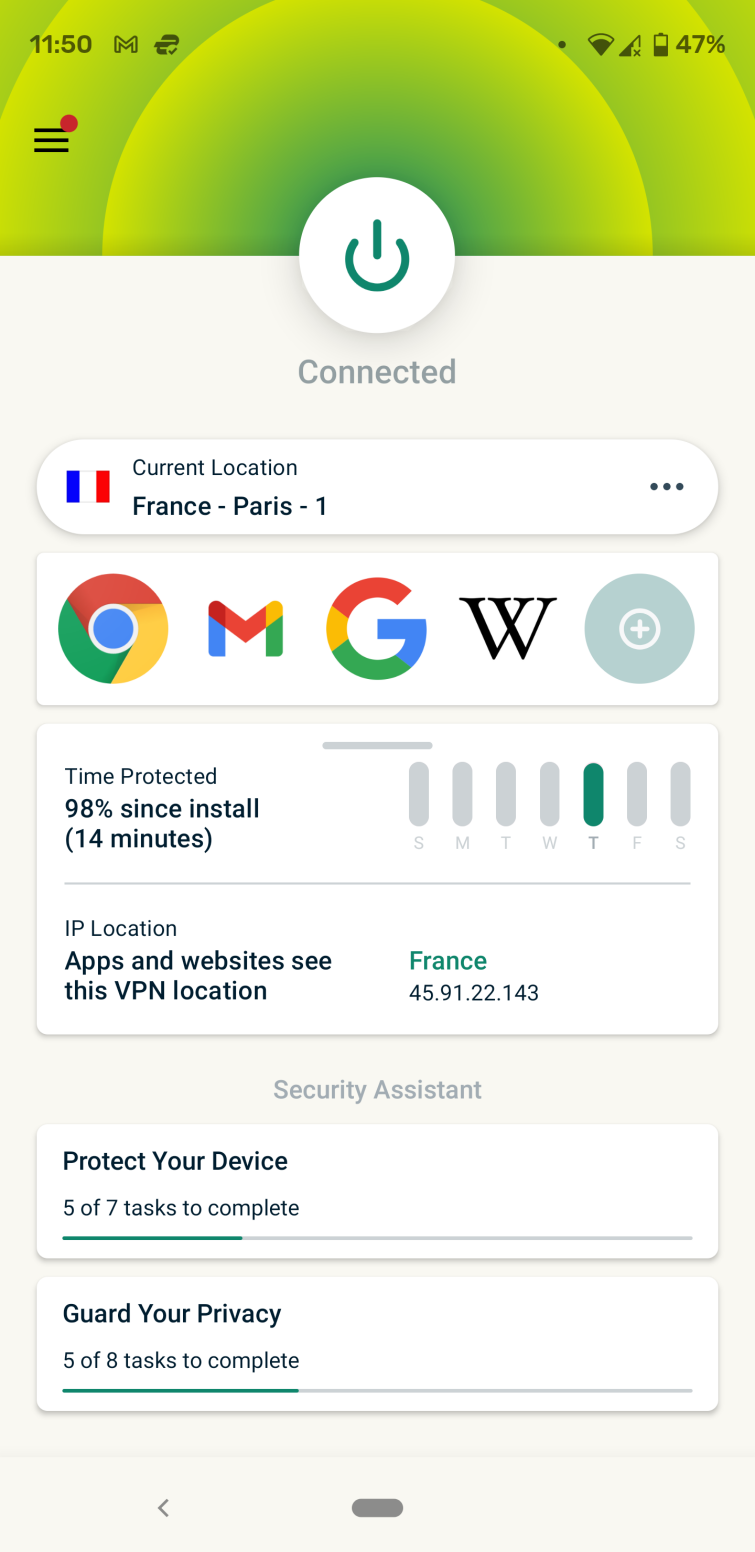
The app is easy to use and offers split tunneling, which allows you to decide which of your apps use the VPN tunnel and which don’t. It can be downloaded from either the Play Store, or, for the more Google-phobic out there, as an APK file for sideloading onto your device.
ExpressVPN is a no-logs VPN service with servers all around the globe and a strong focus on privacy. Allows you to connect up to eight devices at once.
NordVPN is a great pick if you want a VPN app that is full of features and easy to use. A superb VPN at a superb price point.
-
Pricing
- 24 months + 3 months FREE: $3.69/mth
70% OFF
- 12 months: $4.99/mth
59% OFF
- 1 month: $11.99/mth
- 24 months + 3 months FREE: $3.69/mth
-
Pros
- Fast servers in key locations
- Highly customizable
- Works seamlessly with Netflix and other streaming platforms
- Slick and modern apps for all popular OS
-
Cons
- Lacks port forwarding and port selection
- No free trial
-
Play Store score
-
Integrated kill switch
-
Encryption
-
Numer of server locations
-
Average Sped
-
Also works with
-
Website
Nord Demo

NordVPN is a no-logs VPN service based in NSA-free Panama. Its Android app is quite distinctive in the way it looks, thanks to its dynamic map of server locations, making it easy to switch between servers. It uses OpenVPN in UDP mode by default, although TCP is also an option. Besides this, the app allows you to connect to NordVPN’s special obfuscated servers, which use XOR encryption to evade VPN blocks.
One of my main considerations when it comes to choosing a VPN for Android is speed. NordVPN is one of the quickest VPN services that I have come across; it seems to be super-quick regardless of where you connect. Plus, it allows you to connect up to 10 devices simultaneously, which should be more than enough for most users.
The Android app also sports a kill-switch and NordVPN’s CyberSec feature, which I loved. Like its desktop apps, CyberSec uses a DNS blocklist to protect users from malware, help prevent botnet control, and block many intrusive web ads. The VPN also features split-tunneling, a feature that’s really user-friendly, as it allows users to search for a particular app. These features vastly improve the user’s online security, and all you have to do is click a button.
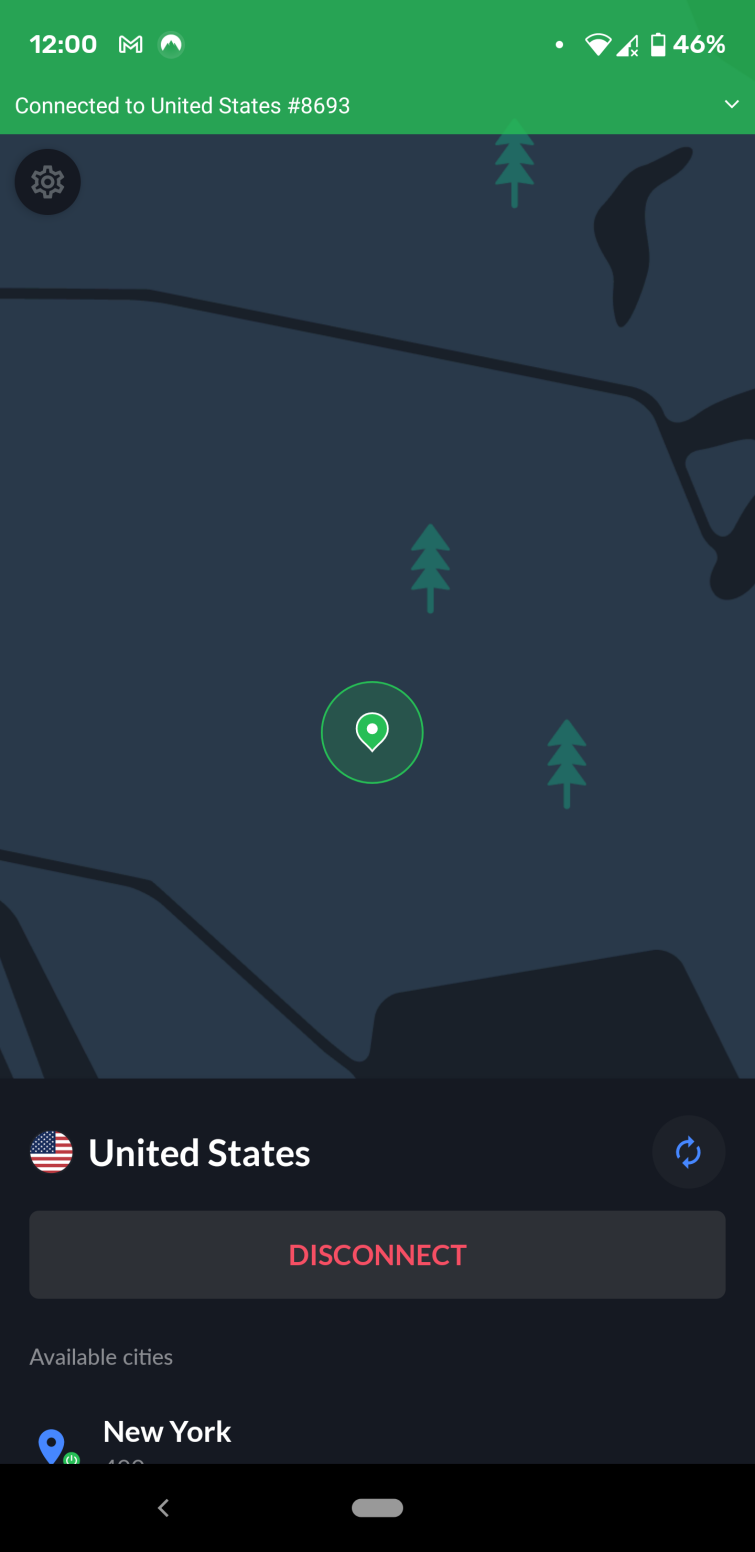
As is increasingly common, its APK is also available to download directly from the NordVPN website, which will auto-update when new versions become available. This is perfect for those who wish to avoid the Google Services Spyware Framework.
Surfshark is a feature-rich and economical VPN for Android. It offers great speeds, versatile unblocking, and strong privacy at a fantastic price point.
-
Pricing
- 24 months + 3 months FREE: $2.19/mth
86% OFF
- 12 months + 3 months FREE: $2.79/mth
82% OFF
- 1 month: $15.45/mth
- 24 months + 3 months FREE: $2.19/mth
-
Pros
- Unlimited simultaneous connections
- Unblocks popular streaming services
- Packed with privacy features, like ad and malware blocking
- Android app supports OpenVPN and Wireguard
-
Cons
- Lacks port forwarding, not ideal for torrenters
- Limited P2P servers
-
Play Store score
-
Integrated kill switch
-
Encryption
-
Numer of server locations
-
Average Sped
-
Also works with
-
Website
Surfshark Demo
Surfshark is registered in the British Virgin Islands and offers one of the user-favorite apps in the Play Store. I am pleased to see that you can also download the .APK directly from the Surfshark website. The service offers great value for money, seeing as each user gets unlimited simultaneous connections and slick GUI apps for all OSs, even Linux.
Surfshark has always impressed us with the incredible amount of bang it offers for your buck, and its Android app is no different. It includes a kill-switch, split tunneling (“Whitelister”) for apps you want to exclude from the VPN, a DNS ad-blocker, an incognito mode for web searches, and even a GPS override feature that ensures your browser’s GPS location matches your VPN location. It also has a fantastic privacy policy and keeps no logs.
The Surfshark Android app uses IKEv2 by default, but also offers OpenVPN (UDP and TCP, although port numbers are not specified), and WireGuard. It also offers the Shadowsocks protocol for those who need to evade restrictions on VPN use.
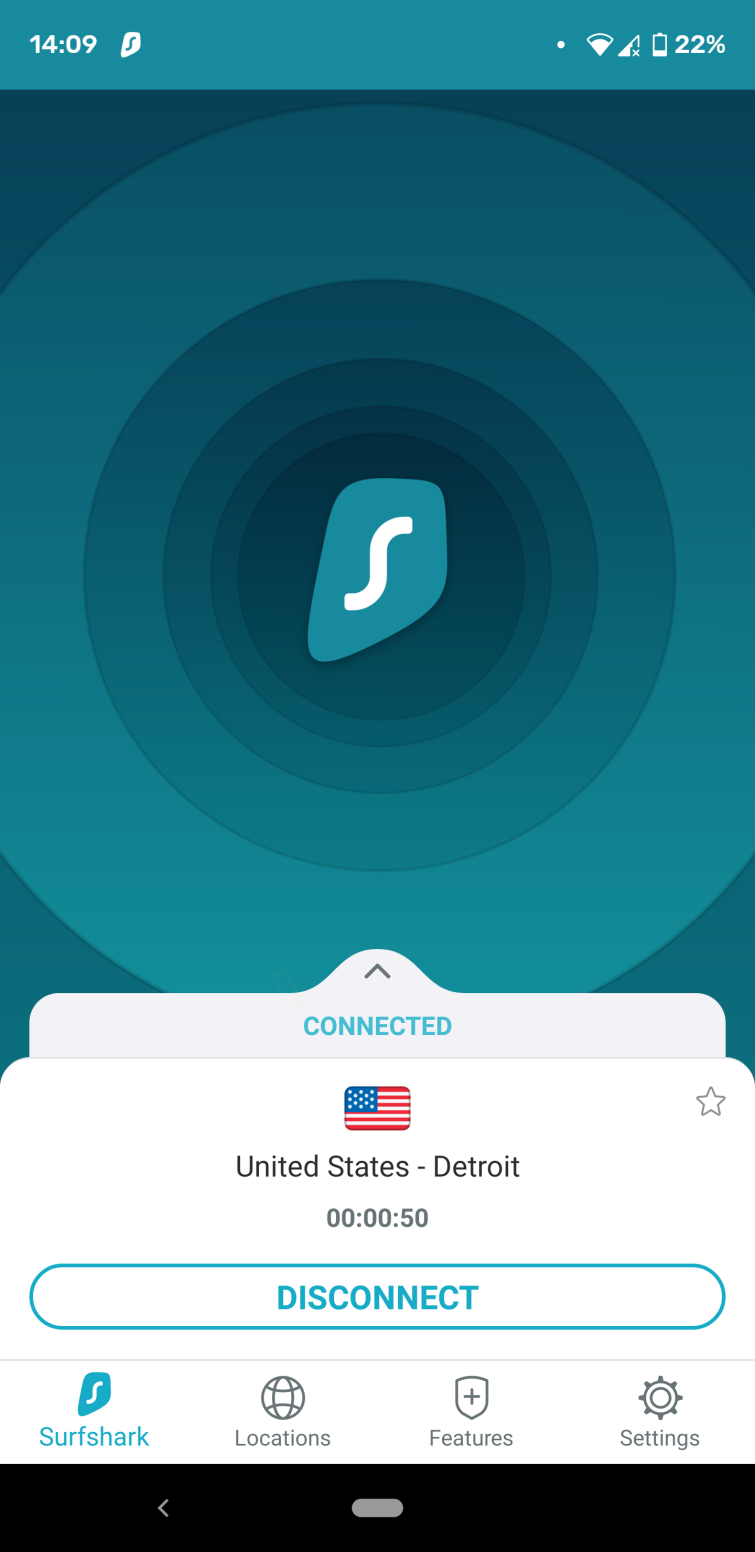
Overall, I found Surfshark’s Android app to be one of the best mobile VPN apps I have ever tried. What really stood out to us was the silky smooth user interface, which was an absolute pleasure to use. I was able to breeze through all the options and settings easily, and never got stuck searching for any particular feature that I wanted to try out. Oh, and the speeds were unbelievable both when connected to wi-fi and on my mobile network. Top-class work here by Surfshark!
PIA is a great no-logs Android VPN app. It’s both affordable and secure, being one of the only providers to have proven its zero-logs policy in court.
-
Pricing
- 24 months + 2 months FREE: $2.19/mth
82% OFF
- 6 months: $7.5/mth
38% OFF
- 1 month: $11.95/mth
- 24 months + 2 months FREE: $2.19/mth
-
Pros
- Built-in blocker helps avoid malicious links and sites
- Consistently fast streaming speeds
- Huge server network
- Unlimited device connections
-
Cons
- Based in US
- No multi-hop
- No whitelisting feature
-
Play Store score
-
Integrated kill switch
-
Encryption
-
Numer of server locations
-
Average Sped
-
Also works with
-
Website
PIA Demo
Private Internet Access (PIA) offers top-shelf VPN security and features with apps for all platforms, including Android. It’s great for both new and experienced VPN users, offering a simple interface with lots of options for customization. Users can select from a wide range of VPN protocols, including OpenVPN and WireGuard. Plus, it offers the largest server network on this list, with 35,000+ around the world.
PIA provides superb connection speeds, with P2P support and built-in ad-blockers to improve your internet experience. When using this VPN on Android, I was particularly impressed with the fluidity with which the app worked. OpenVPN encryption comes set by default in the Android client, and the secure tunnel connects to its servers quickly, from my experience. The VPN provided ample speeds for streaming on YouTube, and provides easy access to Netflix to watch a few extra shows.
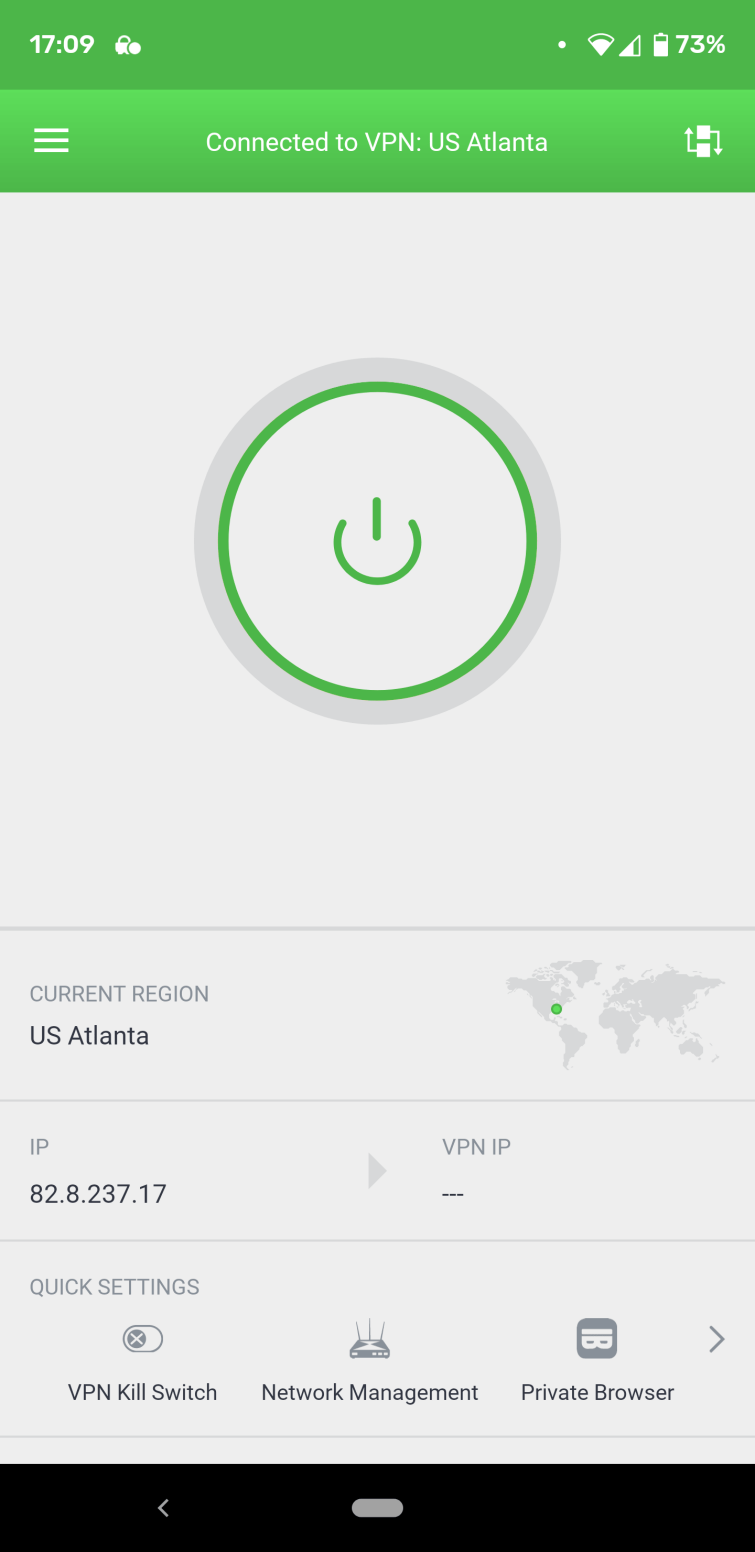
If you’re looking to protect multiple devices, PIA allows unlimited simultaneous device connections, so you can protect your Android device along with pretty much any other computer or device you own, all at the same time. Test it for yourself, risk-free, with a 30-day no-hassle money-back guarantee.
ProtonVPN is a trusted VPN app for Android users. From the guys behind ProtonMail, this VPN is fast, secure, and just as reliable as it is on Windows, macOS, and iOS.
-
Pricing
- 24 months: $3.59/mth
65% OFF
- 12 months: $4.99/mth
51% OFF
- 1 month: $9.99/mth
- Free trial: $0/mth
- 24 months: $3.59/mth
-
Pros
- Superb free plan
- Audited, no-logs provider
- Provides access to Netflix… and more!
-
Cons
- Android app speeds are a little slow
- No live-chat support
- Lacking obfuscation measures
-
Play Store score
-
Integrated kill switch
-
Encryption
-
Numer of server locations
-
Average Sped
-
Also works with
Proton Demo
ProtonVPN is a superb service that is based in Switzerland – a location that is considered fantastic in terms of data privacy. The VPN can be used for free thanks to its basic subscription plan; however, this is restrictive in terms of server locations and speeds. On the other hand, if you like the service and want to be able to access Netflix US with unlimited speeds, you can simply subscribe to a premium subscription plan.
I found ProtonVPN’s free Android app to be a bit slower than the others mentioned in this list, but that certainly doesn’t mean it’s not worth checking out. It comes with all the features you need to stay secure when at home and on the go, which is key for a mobile app. I also found it incredibly easy to connect to ProtonVPN’s servers, which are scattered across 126 countries
worldwide. Although this isn’t the fastest Android VPN on the market, it will allow you to unblock virtually anything you desire.
I trust this VPN to protect our online habits from snooping wi-fi providers and ISPs. All of their apps are open source and they are audited which a massive bonus and proves that they are secure and private.
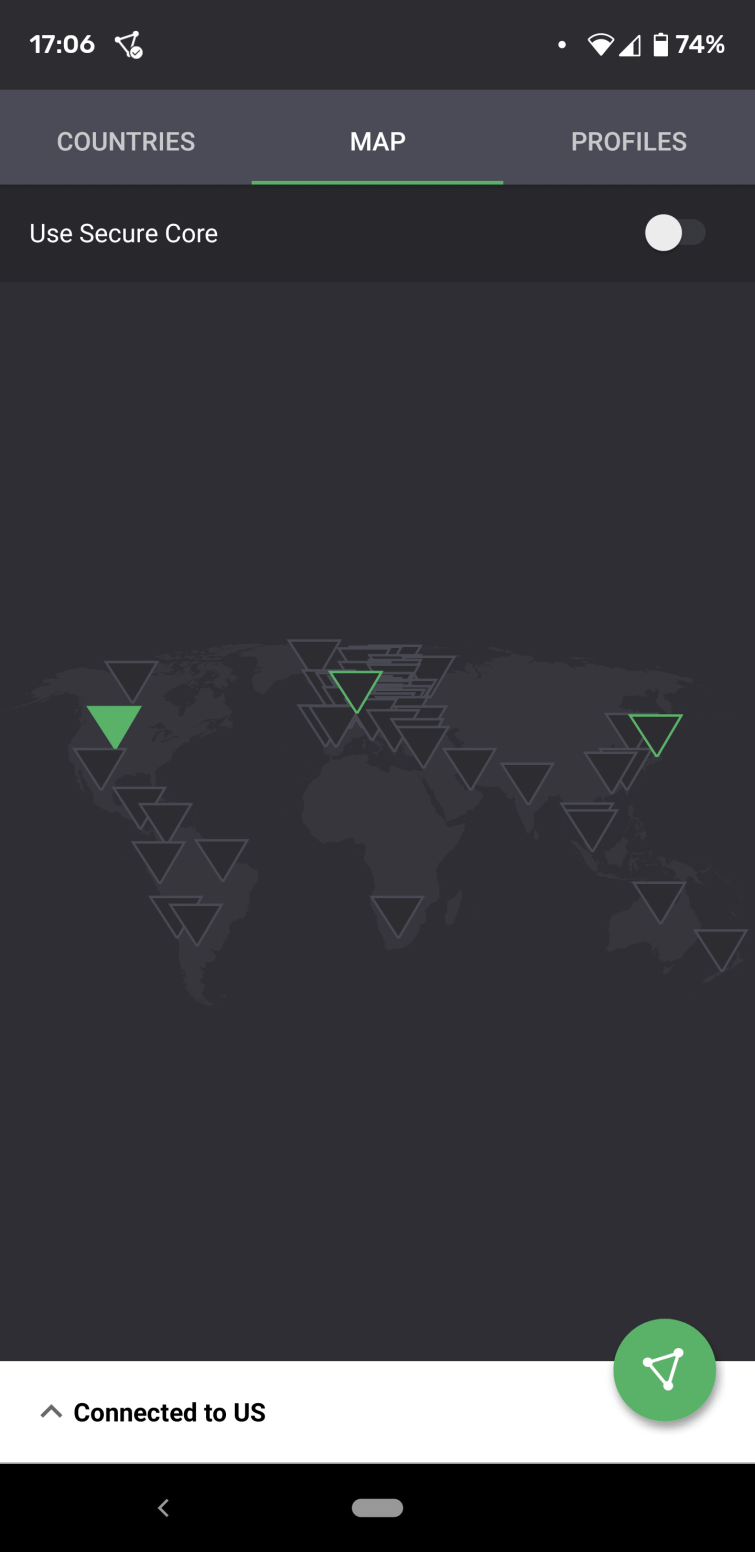
A superb all-rounder that comes with great provenance and allows you to connect up to 10 devices simultaneously. Well worth taking for a test drive using its 30-day money-back guarantee.
PrivateVPN is a great VPN app for Android users looking to stream. This reliable VPN from Sweden has great features for unblocking and speeds that can easily handle HD content.
-
Pricing
- 36 months: $2/mth
84% OFF
- 3 months: $6/mth
50% OFF
- 1 month: $9.99/mth
17% OFF
- 36 months: $2/mth
-
Pros
- Can unblock in-demand streaming services
- Interface is great for VPN newbies
- Customizable encryption
-
Cons
- DNS must be configured manually
- Android app can run a little slow
- Fewer servers than other providers
-
Play Store score
-
Integrated kill switch
-
Encryption
-
Numer of server locations
-
Average Sped
-
Also works with
-
Website
PrivateVPN Demo
PrivateVPN is a VPN provider from Sweden that is recommended by VPN users worldwide. The VPN is very cheap considering what you get – and it is perfect for unblocking content from all over the world on an Android smartphone or tablet. With PrivateVPN, you get apps for all platforms, and you can run it on up to 10 devices simultaneously.
I tested it on an Android tablet and found it to be extremely good for beginners and reliable. Best of all, it comes set up for OpenVPN when you download it, so it is not tricky to set up. That said, I liked that it had plenty of advanced features for those who need them.
I was impressed that this VPN can unblock more international Netflix catalogs than just about any other VPN service – and it also works with sought-after streaming services like iPlayer, Hulu, YouTube TV, HBO Max, and pretty much anything else you can think of.
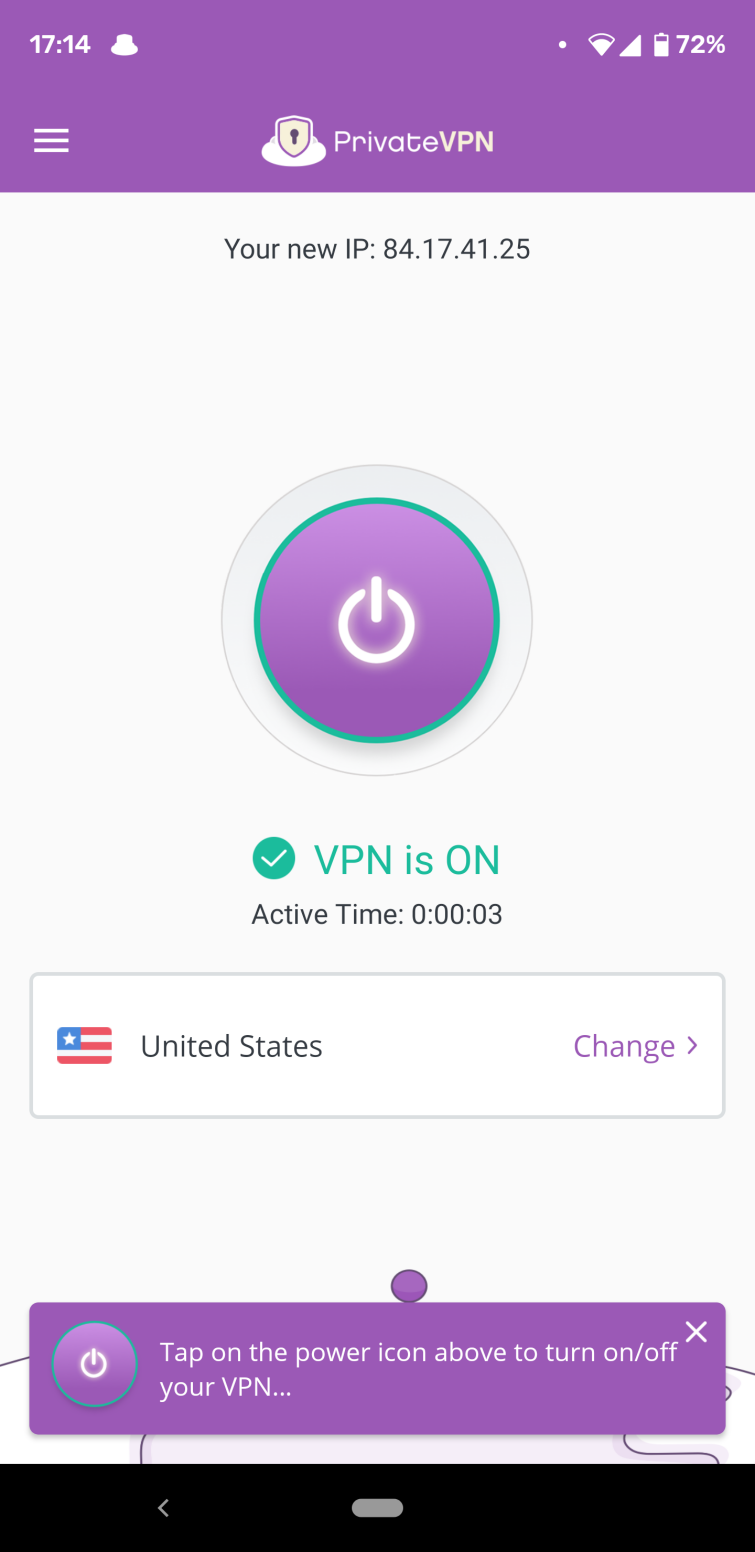
Another excellent thing about this service is PrivateVPN’s live chat support. I found their agents to be polite and extremely helpful when testing response time and knowledge. And, with PrivateVPN, you get the benefit of a no-logs policy, a kill-switch, port forwarding, and obfuscation – which makes it great for torrenting or engaging in other sensitive online tasks. A superb service that comes at an amazing price point, and you don’t have to take our word for it, thanks to its 30-day money-back guarantee.
CyberGhost is a value-packed Android VPN for beginners. It’s a feature-rich app that’s incredibly easy-to-use, while still offering good levels of customization.
-
Pricing
- 24 months + 3 months FREE: $2.11/mth
83% OFF
- 6 months: $6.99/mth
42% OFF
- 1 month: $11.99/mth
- 24 months + 3 months FREE: $2.11/mth
-
Pros
- Android app makes good use of OpenVPN
- Inexpensive and feature-rich
- Can access Netflix and more with ease
-
Cons
- Lacks dedicated stealth servers
- No multi-hop feature
- Short-term plans aren’t that cheap
-
Play Store score
-
Integrated kill switch
-
Encryption
-
Numer of server locations
-
Average Sped
-
Also works with
-
Website
CyberGhost Demo
If you’re looking for a budget-friendly option with great geo-spoofing capabilities and a huge network of servers, then CyberGhost might be the VPN for you. The service is based in Romania, which is great news for anyone looking to avoid the jurisdiction of the 14-Eyes spying alliance. I found the app was really easy to use, and it has all the features you want from an Android VPN service.
You’ll also be able to unblock a veritable ton of geographically restricted content thanks to servers in 100 countries
around the world. It has a split tunneling feature that can be customized, and an ad, tracker, and malware blocker that can be enabled really easily.
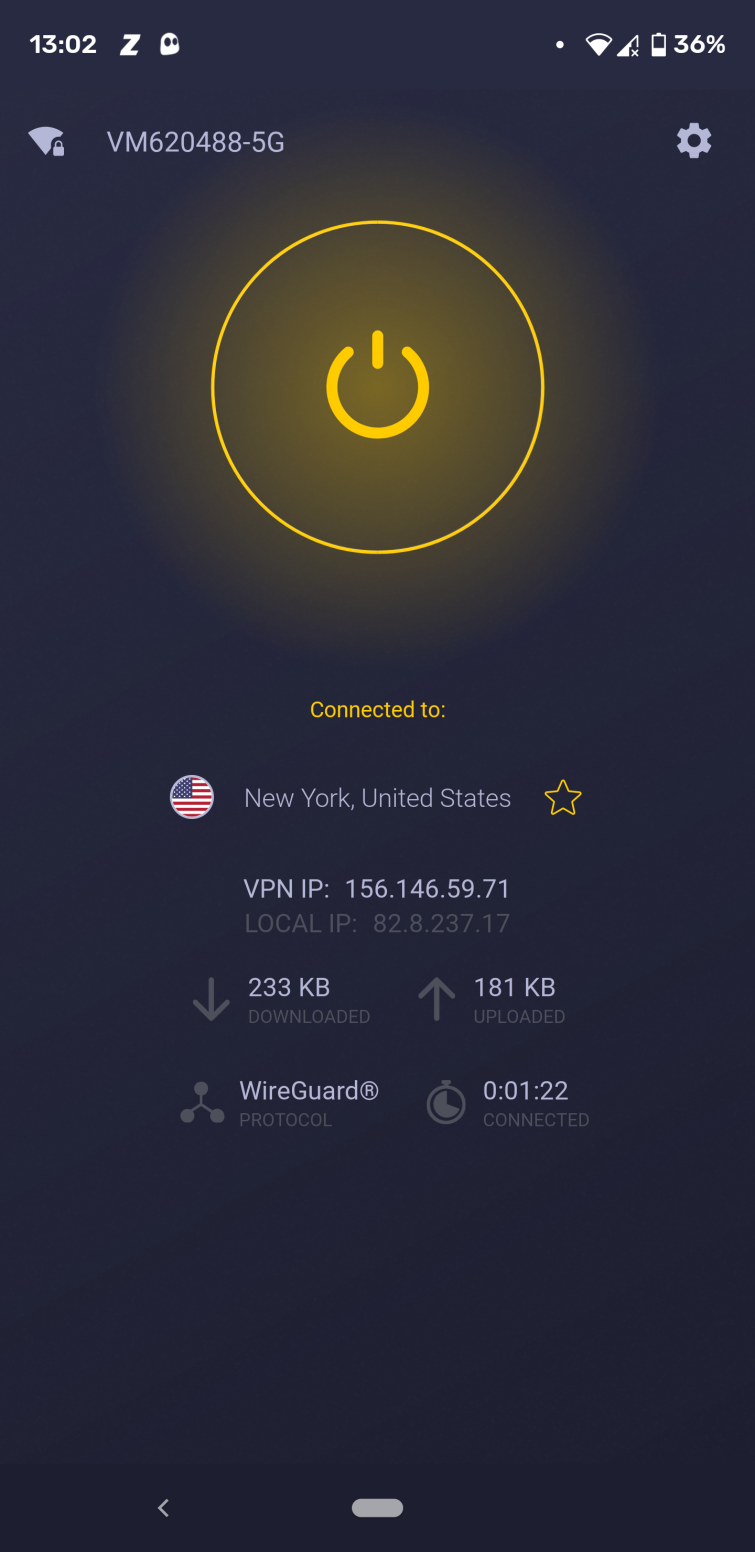
In our experience, CyberGhost is ultra-secure and really easy to use, but I think it really excels in terms of speed. With CyberGhost’s fast servers, you won’t be waiting on buffering screens. I found the app connected really quickly to servers and could access Netflix with ease via the Netflix Android app. Overall, CyberGhost is a high-functioning, low-cost VPN that’s great for newer VPN users.
The Android app uses OpenVPN encryption (which is our recommended protocol for security), and it offers WireGuard, which is a great alternative. WireGuard, a relatively new VPN protocol partly designed to improve speeds, used to only be available for Linux Ghosties. But now all you have to do is download the latest version of their Android app, and you’ll be able to use it. I have been enjoying the upgrade!
One thing that I would like to see CyberGhost adopt is some obfuscation (stealth) measures in the future, but users are still able to cloak their VPN usage by running TCP over port 443. This is especially important if you need a VPN to avoid government surveillance. Try it for yourself with its generous 45-day money-back guarantee on subscription plans longer than one month.
IPVanish is a great all around Android VPN. It provides fast speeds, an easy to use app that works seamlessly, & is packed full of great features.
-
Pricing
- 24 months: $3.33/mth
75% OFF
- 12 months: $3.99/mth
70% OFF
- 1 month: $12.99/mth
- 24 months: $3.33/mth
-
Pros
- Independently audited no-logs service
- Smart DNS included
- Accepts bitcoin
-
Cons
- Based in the US
- So-so customer support
- Can’t unblock BBC iPlayer
-
Play Store score
-
Integrated kill switch
-
Encryption
-
Numer of server locations
-
Average Sped
-
Also works with
-
Website
IPVanish Demo
IPVanish is a high-profile no-logs US-based VPN service. When choosing a server, you can filter the servers by county, city, or ping times, allowing users to find the best server for them. It has a handy feature called scramble, which adds obfuscation to OpenVPN so users can bypass VPN blocks with confidence.
The IPVanish app does not include a built-in kill-switch, but on Android 8+ devices, it provides instructions for enabling Android’s new built-in kill-switch feature to work with the app. The app features split tunneling and insecure network notification, both of which are super handy features. It uses OpenVPN in either UDP or TCP mode, and you can select which ports it uses, which is great for more advanced VPN users. It also offers IKEv2 and WireGuard, which is a fast and lightweight protocol that makes a great alternative to OpenVPN.
Overall, I was really amazed by how well the Android app performed on my phone as well as on my tablet. The app looks great and is incredibly easy to use. I found the speeds to be excellent, no matter which servers I connected to and regardless of whether I was connecting from home or on the go. I really liked the look of the Android app. You can also connect as many devices as you like at once.
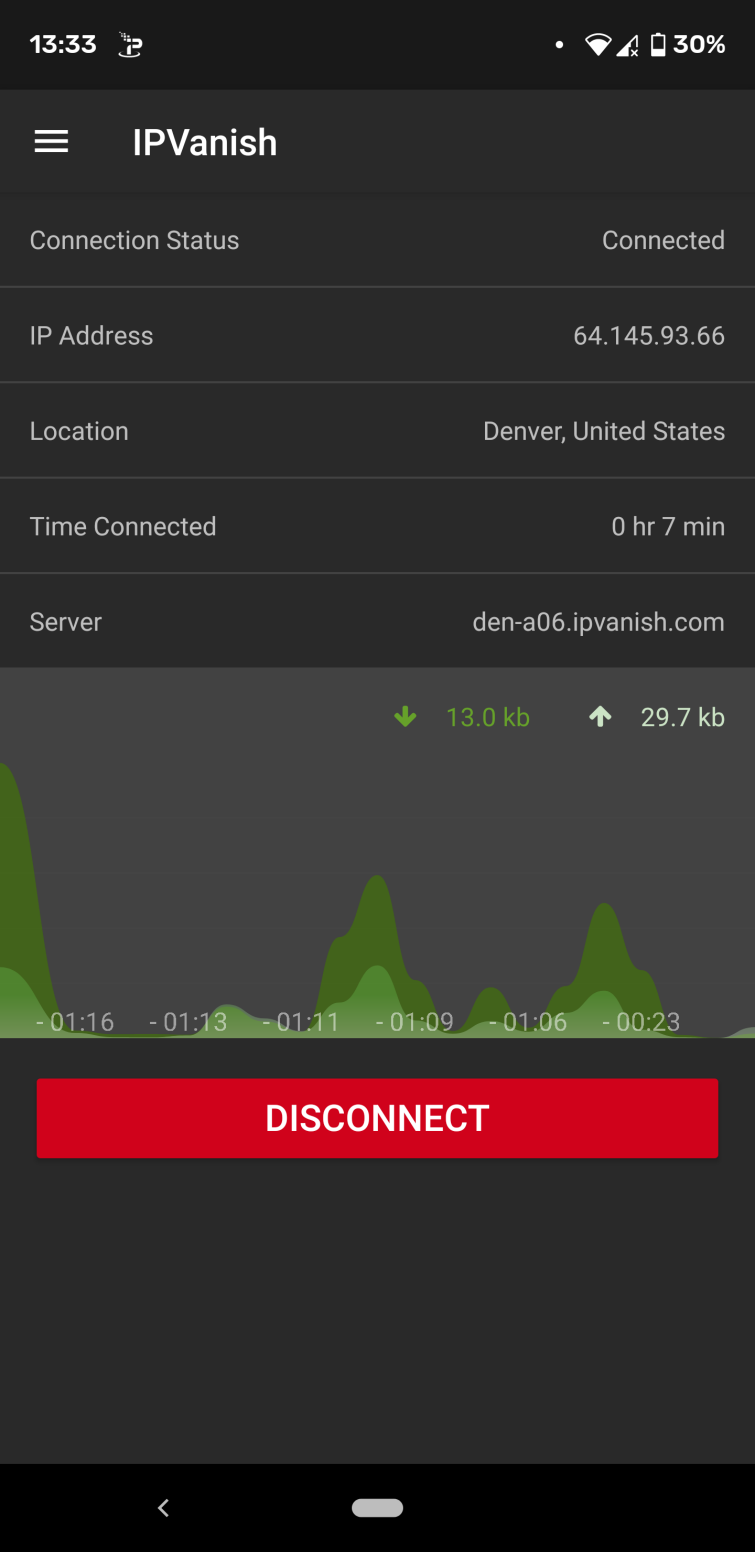
The interface is pretty simple, but this makes it easy to navigate to what you need. Nothing you need is more than 3 taps away. I also loved how it shows ping times – this really helped when trying to choose a server. And, as with all the Android apps on this list, you can download the .APK from IPVanish’s website for improved privacy.
9. Ivacy
 www.ivacy.com
 Ivacy is the cheapest VPN for Android on our list. Starting from $1 you can access servers in over 100 countries, with decent speeds for streaming and a superb Android app experience.
-
Pricing
- 60 months: $1.19/mth
89% OFF
- 12 months: $3.99/mth
60% OFF
- 1 month: $9.95/mth
- 60 months: $1.19/mth
-
Pros
- Smart purpose selection makes picking a server easy
- Android app includes split tunneling and mutli-port
- 10 simultaneous connections
-
Cons
- Obfuscation isn’t as strong as it could be
- No independent audit
- No Wireguard protocol
-
Play Store score
-
Integrated kill switch
-
Encryption
-
Numer of server locations
-
Average Sped
-
Also works with
Ivacy Demo
Ivacy VPN is a service based in Singapore that has superb apps for all platforms – including for Android mobiles and tablets. The VPN has everything you would need in a VPN to gain privacy and security on Android – both at home and on public wi-fi. Also, if you want to bypass restrictions on a work or school network – to watch YouTube or access Reddit, for example – this VPN will work perfectly.
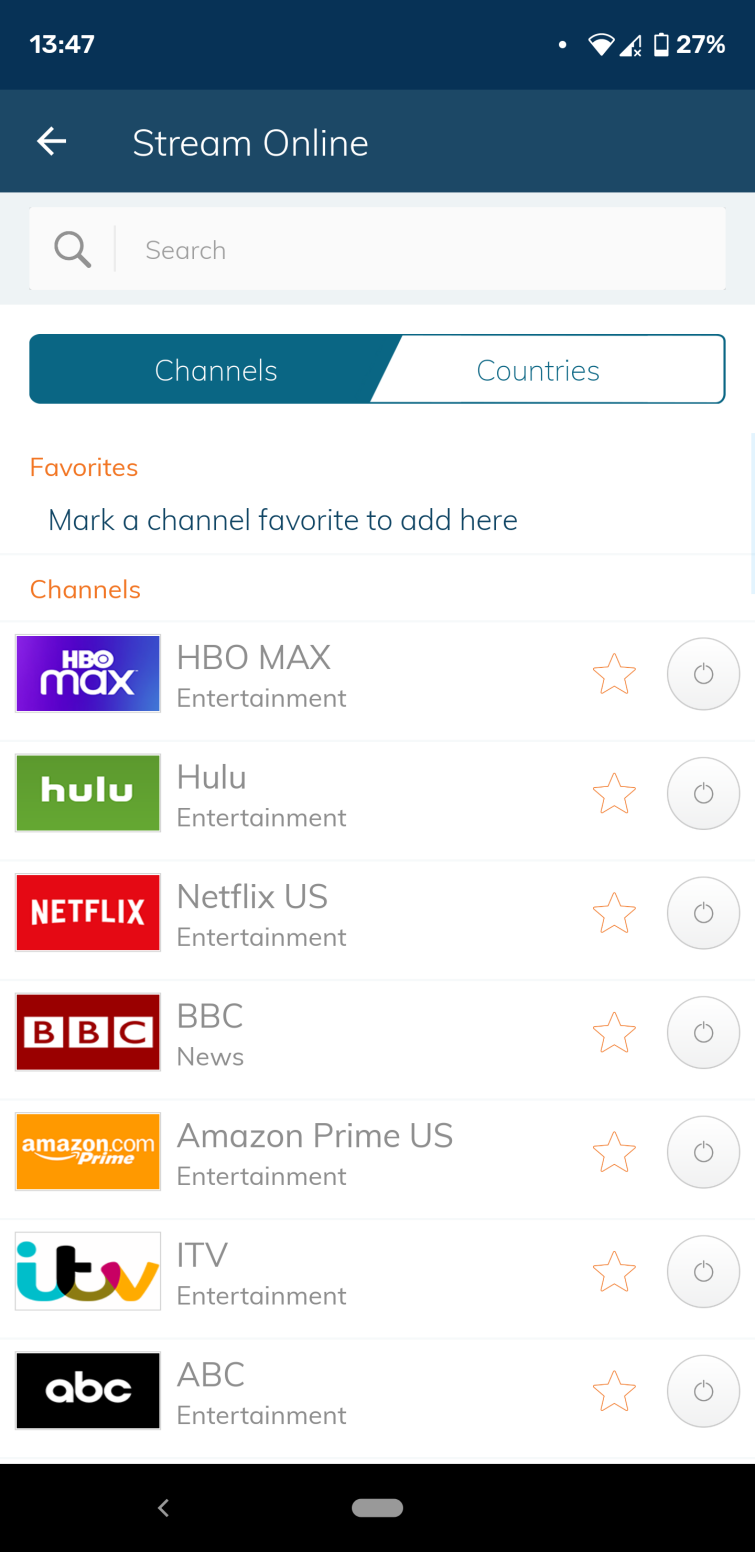
I like that the app labels servers by “purposes” so that you can connect to servers for streaming, secure downloading, and unblocking websites. The streaming server list allows you to pick based on what streaming service you want to unblock (as shown in the screenshot below). I used it to access Netflix without issues, which is great. I found this server listing system to be extremely useful, allowing me to find a server that works without scrolling through hundreds of different options to check whether they could unblock our favorite streaming sites. And, this is one of the few VPNs that work reliably with Netflix US, BBC iPlayer, Hulu, YouTube TV, and other popular streaming services.
The Android app comes with all the features you need to protect your online activity from your ISP and the government. As a result, you will be able to bypass government censorship or access streaming media in total privacy. I also liked that Ivacy has servers in over 100
locations around the world, which is a huge amount of choice – great if you like to experiment with accessing a lot of international content like me.
Well worth comparing to our other options, using its 30-day money-back guarantee. Cheap subscription prices – and can be used on up to 10 devices simultaneously.
10. VyprVPN
 www.vyprvpn.com
 VyprVPN is the value lover’s choice. It’s run on a private network of servers & access to Chameleon privacy technology – all at a great price point.
-
Pricing
- 12 months: $5/mth
50% OFF
- 1 month: $10/mth
- 12 months: $5/mth
-
Pros
- Very fast due to own infrastructure
- “Chameleon” stealth servers
- Fully audited
-
Cons
- Doesn’t support cryptocurrency payments
- Connection times can be a little slow
- No multi-hop
-
Play Store score
-
Integrated kill switch
-
Encryption
-
Numer of server locations
-
Average Sped
-
Also works with
VYPR Demo
VyprVPN is based in Switzerland and is notable for owning its own server network, which gives it complete control over its infrastructure. It’s great for the security-conscious Android user looking for privacy because it keeps no logs. The app supports all versions of Android, but we recommend sticking to 4.0.3 and later. It has a fully-featured app with a kill-switch, DNS leak protection, ad and malware blocking, and public wi-fi protection to ensure the VPN connects each time that your device joins a new network.
I really like the fact that VyprVPN owns its own server network, too. This is a rarity in the VPN market, with even the priciest providers often renting many, if not all, of their servers. This makes me feel safe when using VyprVPN because I know no third parties will have access to any of the servers I connect to and that these servers will be managed and maintained by VyprVPN staff.
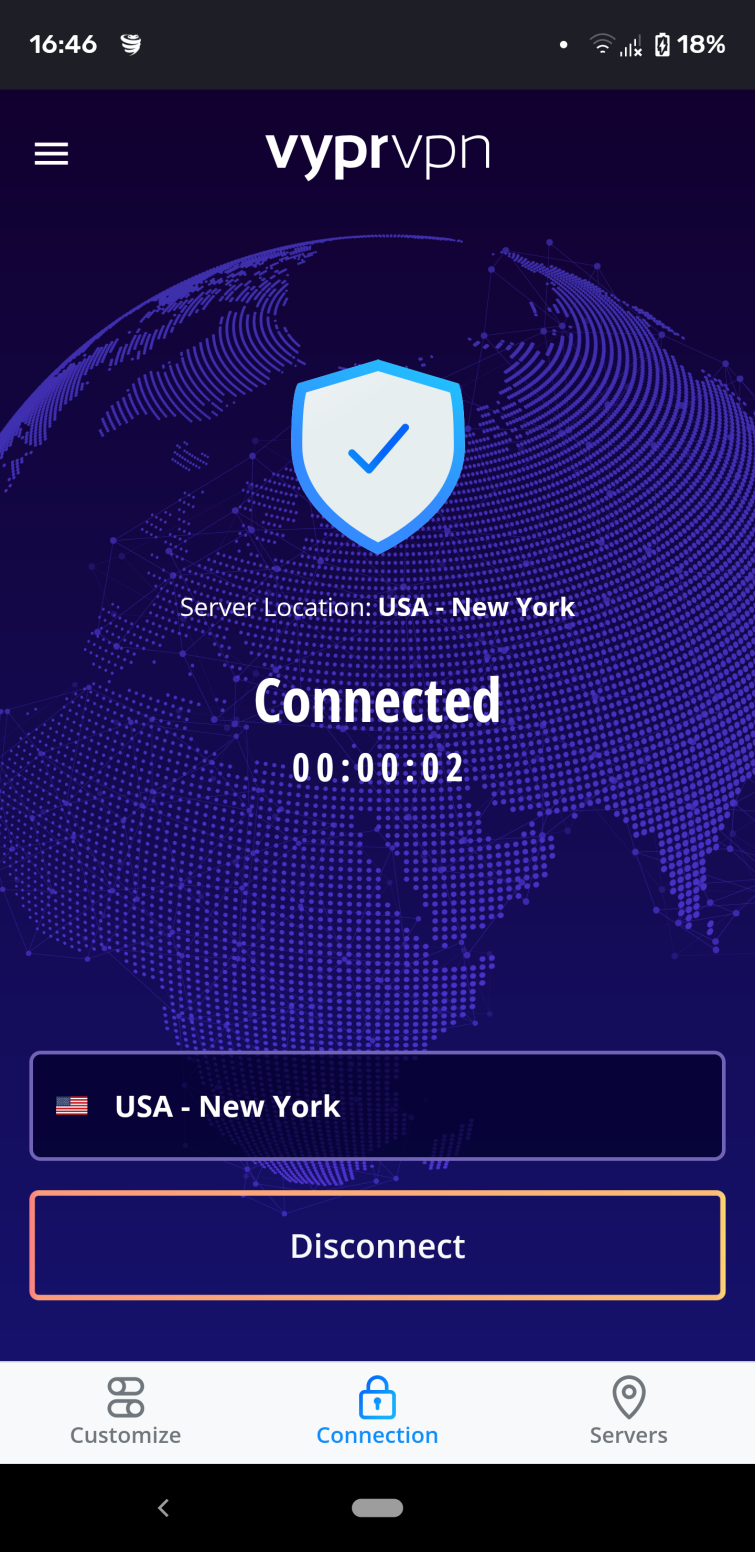
The app uses OpenVPN, and you can switch between ports, which is great. Plus, the Android app offers VyprVPN’s obfuscation feature called Chameleon, which is known to be great at defeating VPN restrictions in countries where VPN use is frowned upon.
This is a lot of features for an Android VPN app, and users get the benefit of a large network of servers in over 70
locations worldwide, which makes it excellent for unblocking content around the world. For ease of access, the app is available as an .APK download in addition to being featured in the Play Store.
Compare Android VPN speeds
When choosing a VPN for your Android phone or tablet, you should opt for a service with fast VPN servers. All VPNs will slow down your internet connection as they encrypt your connection and send it to a server that’s potentially far away from your physical location. However, finding the right service will make sure you don’t notice the change in speeds.
Using a VPN with fast servers will allow you to stream in HD and 4K, make video calls, play online games, and do anything else that requires more data throughput. To help you tell which Android VPN apps are the fastest, we run speed tests regularly on our top picks and display the results in the table below.
| ExpressVPN | NordVPN | CyberGhost VPN | |
|---|---|---|---|
| ProPrivacy.com SpeedTest (average) | 100 | 85.9 | 63.92 |
| Performance | 10 | 9 | 7 |
| Reliability | 9 | 8 | 7 |
| Speed | 100 | 568.0 | 556.2 |
How to set up a VPN on Android
Using a VPN on an Android device isn’t really much different from using a VPN on any other platform, so if you want to know more about VPNs, in general, then please check out our beginner’s guide to VPNs for more info on what they are and how they can make your online experience better.
If you would like help getting set up with your VPN, check out our step-by-step guide on how to install a VPN on Android.
How does a VPN work on your Android device?
When you access the internet, all your data passes over a local network before going through an ISP’s gateway servers. This path to getting online creates two potential opportunities for your web visits and data to be tracked and potentially harvested and sold on. Once on the local network, you pass through your ISP’s gateway.
A VPN encrypts your data before it leaves your Android device, and then routes it to a VPN server. This ensures that nobody can see what you are doing online and prevents websites and online services from detecting your actual IP address. Check out the video below for further explanations of how a VPN works.
What is a VPN Used For and How Does a VPN Work? ProPrivacy Explains �…

Advantages of using a VPN on your Android device
Below, we look at how a VPN can help you stay secure online from hackers and snoopers, including your ISP and the government. But, before we get into the benefits, let’s start with the basics…
The privacy benefits of a VPN for Android users
- A VPN server can block your ISP’s “view” of what you get up to online.
- Governments can no longer enforce blanket mass surveillance on you, as they rely on data provided to them by ISPs. So, if your ISP has no idea what you’re doing, neither will your government.
- A VPN will prevent websites from knowing who you are because, instead of seeing your real IP address, the website will just see the IP address of the VPN server – meaning you can stop annoying ads.
- Public wi-fi hotspot hackers won’t be able to steal your data, and hotspot operators won’t be able to sell your browsing history since they won’t be able to see anything that you’re doing online through the VPN tunnel.
- A VPN will help keep you safe if you want to torrent on Android by preventing peers from seeing your real IP address.
- A VPN will prevent your government or ISP from censoring content. VPN services run servers from countries all over the planet, so just connect to one located somewhere that does not censor internet content and you’re good to go!
Compare the encryption of the Android VPNs listed on this page
All of the services we have listed in this article provide users with the best encryption to ensure that the data on their Android devices is kept private and secure. OpenVPN encryption is the gold standard, though some services also offer great alternative encryption protocols that are both secure and fast. WireGuard has become the go-to protocol for many providers. It’s lightweight and facilitates the fastest connections, which is the only metric some people are concerned with.
Some services on our list also offer ad and malware blocking, which vastly improves your online security and privacy. We have detailed what type of encryption each Android app uses and if they have an ad and Malware blocker built into the app in the table below:
| VPN Provider | OpenVPN | WireGuard | IKeV2 | Ad & Malware Blocker |
|---|---|---|---|---|
| ExpressVPN | Yes | No | No | No |
| NordVPN | Yes | Yes | No | Yes |
| CyberGhost | Yes | Yes | No | Yes |
| SurfShark | Yes | Yes | Yes | Yes |
| VyprVPN | Yes | Yes | No | No |
| IPVanish | Yes | Yes | Yes | No |
| Ivacy VPN | Yes | No | No | No |
| ProtonVPN | Yes | Yes | No | Yes |
| PrivateVPN | Yes | Yes | No | No |
| Private Internet Access | Yes | Yes | No | No |
Please note that these features are specific to the provider’s Android VPN apps, and desktop apps may include some features that aren’t available to Android users. For more information about encryption, check out our VPN encryption guide.
Access streaming services
With a VPN for Android, you can “spoof” your geographic location in order to watch streaming services such as the US version of Netflix on your phone or tablet, which has a much larger catalog of titles than paying Netflix customers living elsewhere can access. You can also access other free services. For example, you can watch BBC iPlayer outside the UK, which is only available in certain countries. Check out our iPlayer VPN and Netflix VPN pages for more details about accessing these services.
| No Value | ExpressVPN | NordVPN | Surfshark | Private Internet Access | Proton VPN |
|---|---|---|---|---|---|
| Netflix | |||||
| iPlayer | |||||
| Amazon Prime | |||||
| Hulu | |||||
| Disney+ |
Unblock Android games blocked in your Google Play Store region
There are benefits for gamers, too. Particularly if you live in a country that restricts access to certain gaming titles. With a VPN, you can change your Google Play region with a VPN and unblock apps that were previously unavailable in your region. You can even connect to new servers to play against opponents from other countries.
Can I play more Android games with a VPN?
Yes. If you live in a country where an Android game (or app) is unavailable, you can regain access by connecting to a VPN. When you connect to a VPN server abroad, you access a regional version of your favorite app store (usually Google Play, but also the Samsung app store, for example).
Using a VPN to update your location will allow you to install games and apps that are usually restricted where you live. For example, you could install and play PUBG in countries where it is unavailable, such as India, Bangladesh, Jordan, Pakistan, and Afghanistan. You can also install VoIP apps that are restricted in certain countries, such as Bahrain, India, China, Egypt, Indonesia, Kuwait, Mexico, Iran, and Pakistan.
In addition to downloading games that are unavailable, you can use a VPN to access different international game servers. This can allow you to find different matches or to play with people who speak a specific language. A VPN also lets you play games at work it in school, if they’ve been blocked on the local network.
All in all, this makes a VPN an impressive tool for any Android gamer who wants to play games without anybody finding out.
Our methodology for choosing the best VPNs for Android
Using your Android mobile for streaming and browsing is safer with a VPN, but which one is best for you? When choosing the best VPN for Android, several key factors must be considered, with security, speed, and price often being the primary drivers. However, there are other important features that those new to VPNs might overlook.
Our experts have tested hundreds of VPNs on mobile devices and have worked hard to help you find the best one for your needs. Here are some of the criteria we look for when selecting an Android VPN:
- We look for established VPNs with a robust security protocol that protects your data from prying eyes.
- Android users should expect a fast and reliable VPN connection. Anything less than that is not worth the hassle.
- Some Android devices are not compatible with certain types of VPNs. We consider this when making our recommendations. We also look for providers that have apps for all other major operating systems.
- The number of servers a VPN has is also an important consideration. The more servers there are, the better the chances of finding one that is fast and reliable.
- We want our recommended VPNs to be easy to set up and navigate, even for first-time users.
- You shouldn’t have to sacrifice quality for price, which is why we only recommend VPNs that offer an outstanding balance of both, thus providing great value for money.
As it’s not uncommon for hackers to plant malicious code into VPNs obtained from the Android App store, it’s essential to only use reputable sources when downloading your VPN.
If you want to learn more about our steps for finding the best VPNs, why not read our testing methodology guide?
Is there a 100% free VPN for Android?
There are plenty of free Android VPNs for Android users lurking in the Google Play Store. We’d warn against being tempted by these, as the vast majority of them are known to be risky. Studies have revealed that a lot of free VPNs are a scam designed to harvest user data.
Free VPNs have been found to have dangerous privacy policies, critical leaks, unreliable apps, weak encryption, and even adware or spyware.
The good news is that there are some reputable free VPN services on the market that offer a free plan. Most of the time, these plans cap speeds, limit data usage, and limit the number of servers you can use. This makes them unsuitable for streaming on Android devices. What they are good for is online privacy, as the free service tends to use the same security and privacy protocols as the parent product.
Remember, if you are not paying for the product, then you are the product! Nobody is offering a “free” service simply out of the goodness of their hearts.
Windscribe is the best free VPN for Android
Windscribe is a no-logs, privacy-friendly, Canadian VPN service that offers users 2GB data allowance per month. This is completely free and doesn’t require you to hand over any personal information. If you’re willing to tell the company your email address, it’ll reward you with a more generous 10GB a month.
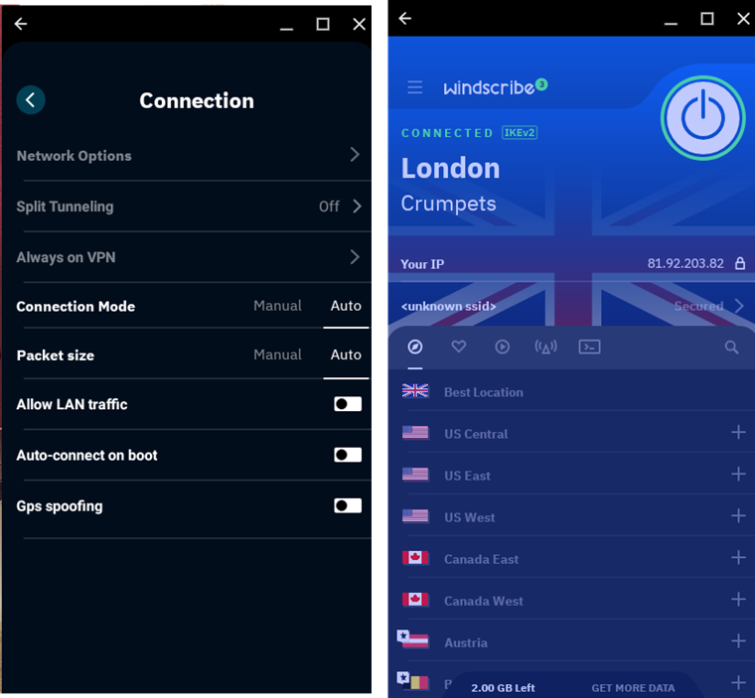
Windscribe’s speeds are decent for a free service. We achieved 55 Mbit/s download results using a server in our own country (UK), although this will depend on the speed of your raw broadband or 4G connection.
Free users can connect to servers in 10 countries, including the USA, Canada, France, Germany, the Netherlands, Norway, and Romania. Switzerland, the UK, and Hong Kong. This is actually quite generous for a free service. For comparison, Proton VPN’s free Android app provides access to three servers.
Make use of Android VPN money-back guarantees
You might be on the fence about VPNs if you’ve never used one before. And this is totally understandable! After all, you won’t know what a VPN can do for you until you try one for yourself. The good news is that you can do just that with all of the VPNs in this guide, thanks to their money-back guarantees.
This allows you to test the VPN out – without actually committing to a contract. We think once you experience the freedom of being able to access blocked content at work or in school, or experience unrestricted access to geo-restricted services around the world – you will decide to keep your VPN.
Don’t forget that if you want to, you can try a few different services to see how they each differ. That’s the beauty of these refund promises; they allow you to shop around and decide which service you prefer.
| VPN | Money-back Guarantee? | Duration |
|---|---|---|
| ExpressVPN | Yes | 30 days |
| NordVPN | Yes | 30 days |
| Surfshark | Yes | 30 days |
| VyprVPN | Yes | 30 days |
| IPVanish | Yes | 7 days |
Android VPNs to avoid
There are literally dozens of bad or dangerous VPNs for Android. Far too many to list here. That is why searching for a VPN on the Play Store is so risky. The best advice is to stick only to our recommended VPNs, as those are known to be reliable and secure.
Paid-for services that also have full desktop VPN support (so are not just otherwise no-name Android apps) are more likely to be trustworthy, but we still recommend hunting down reputable VPN reviews before trusting them with your privacy.
Google One VPN
If you’re a Google One user – good news! If you’re paying for the Basic, Standard, or Premium plans, you can access a VPN as part of your subscription – provided that you also live in one of the 22 countries where it’s currently available.
The Google One VPN works with Android and can be activated as follows:
- Make sure you’re logged into your Google account.
- Open the Google One app on your Android device.
- Tap “Benefits” at the bottom of the screen.
- Find the VPN benefit and tap “View Details”.
- Turn on the VPN.
Other ways to improve your privacy on Android
If you’re an Android user, you must be aware that, while a VPN app will do its job to secure your sessions when using a mobile browser, it can’t stop Android apps from sending personal data back to their developers, as well as Google, via the Play Services Framework.
You should therefore always use a service’s web portal rather than its Android app whenever possible when you’re using your VPN. It’s not always an option, but when it is, it’s the best way to maximize your privacy.
